







Our final product update of the year has something for everyone. Take a look below so you don't miss anything you've been waiting for!
Employments and documents
Refined flow when adding new employments
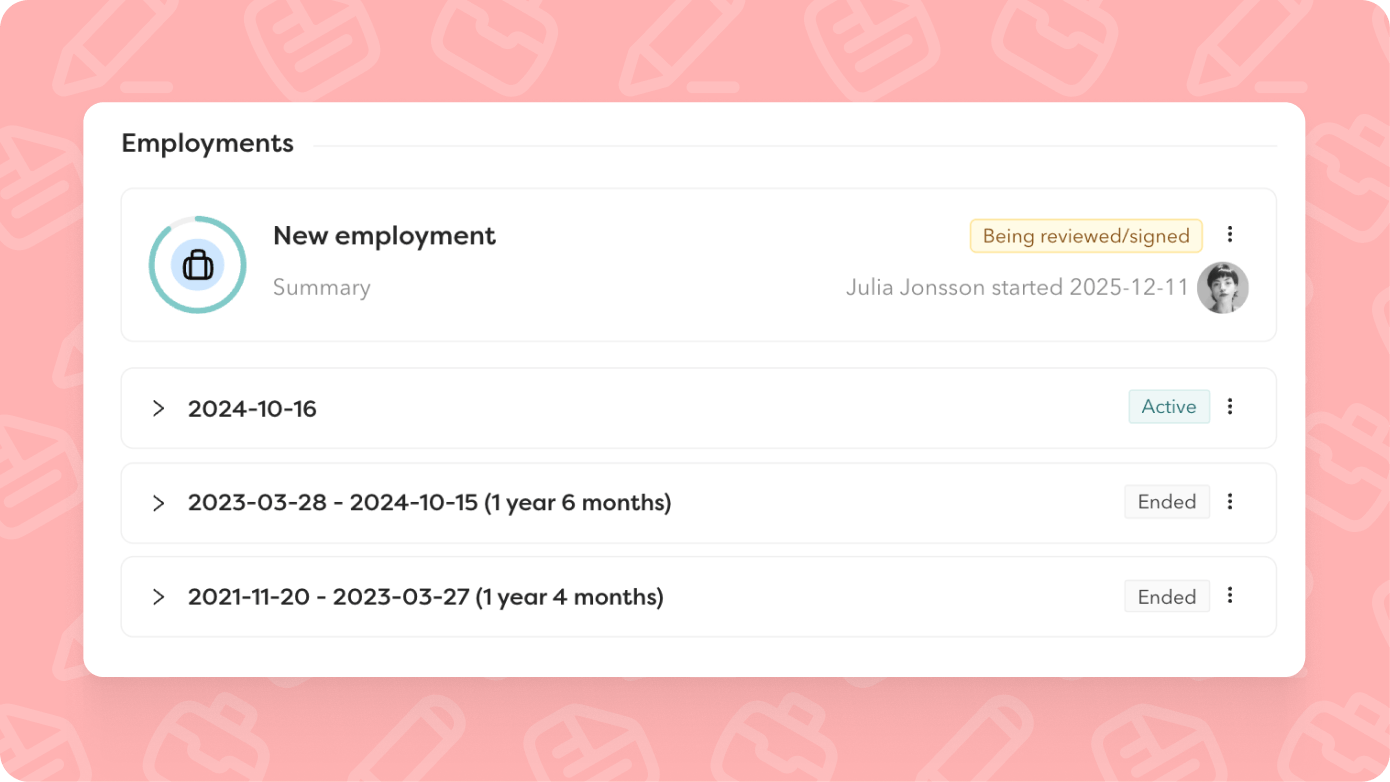
Our core features should just work – as simply as possible. At the same time, they need to be flexible enough to suit different ways of working. This autumn, we've refined the flow for adding a new employment to an existing employee, so it works just as smoothly as hiring a new employee, regardless of how you work.
What's new:
- Choose whether a contract needs signing. Previously, you only had this option if you added a new salary or salary change with the employment
- Activation upon signature. The employment is only activated once the contract is signed if you choose to create a new contract. Until it's signed, the employment is saved as a draft
- Time and absence settings are now set in the wizard as part of the flow
- Save the employment as a draft. Feel free to minimise the window to check other data or come back later. Everything you've filled in so far is saved - if you save it.
Now compatible with:
- Employee templates
- Reject contracts with comments
- Multiple salaries
- Task force as contract reviewer
- More pre-populated fields from previous employment (employment terms, custom employment fields, time and absence settings)
One contract type for both new hires and employments
The same contract template can now be used in both processes. This means you don't need to duplicate templates – one template works for both new hires and ongoing employment changes.
If you want to keep them separate, that's still absolutely fine. We haven't removed any functionality, just added a more flexible option.
Scope contract templates to teams and business areas
You can now link contract templates to specific teams and business areas. This makes it easier to find the right contract template straight away and reduces the risk of someone using the wrong contract type.
Import signable documents via our open API
Import documents via our open API without manual handling. A convenient way to keep policies, agreements and other documents requiring signatures organised – all in Hailey. The integration also lets you sort documents directly into employee folders.
Sort signable documents into employee folders
Just like with contracts, you can now set signable documents to automatically sort into the right document folder on the employee card. This applies both to documents you already have in Hailey and those you import via the API.
If a signable document is added as an attachment to a contract template, the contract template's settings determine where the document ends up.
Rights control what appears in the timeline
Birthdays and employment start dates now only appear in the timeline if you have permission to view the information under Personal-Sensitive and Job-Employments. This gives you better control over sensitive information.
Recruitment and onboarding
More efficient candidate management in lists
You can now quick-select all candidates in a row to send messages or move them to another row. The option appears when you hover over the number of candidates in the recruitment.
Initiate employment directly from recruitment
Initiate employment directly from recruitment once you've found the right candidate. This is now also compatible with temporary staffing and employee templates.
Use message templates in candidate chat
Save time by using message templates directly in the chat with candidates. Click the plus sign in the chat box and select the template you want to use.
Date of birth in the pre-boarding portal
You can now choose to collect date of birth directly in the pre-boarding portal. Enable it in your hiring templates and the field becomes mandatory for new hires to complete.
Manual pre-boarding with hiring templates
When you send out the pre-boarding portal directly from the employee card, you can now select a hiring template. We'll then send out the pre-boarding portal as defined in your chosen template.
Time and time off
More predefined calendars for non-working days
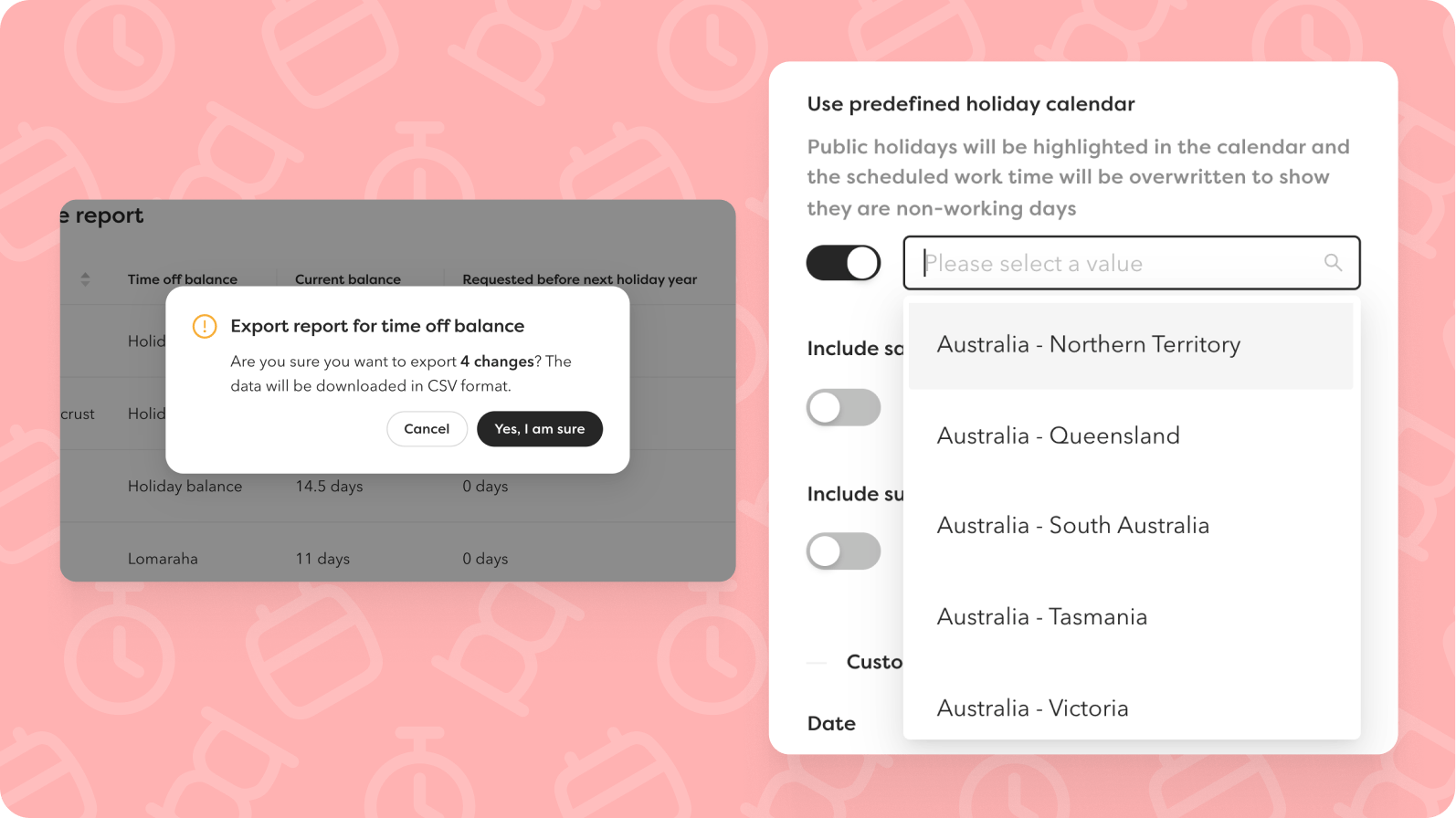
Public holidays vary from country to country. That's why we've added more predefined calendars for non-working days, so you can easily select the right holidays for employees in different countries.
New calendars: 🇮🇹 Italy, 🇵🇹 Portugal, 🇿🇼 Zimbabwe, 🇮🇩 Indonesia, 🇹🇭 Thailand, 🇰🇪 Kenya, 🇦🇲 Armenia, 🇸🇮 Slovenia, 🇵🇭 Philippines, 🇰🇷 South Korea, 🇨🇳 China, 🇹🇼 Taiwan, 🇦🇺 Australia (including all states), 🇮🇪 Ireland and Northern Ireland.
Export time off balances
You can now export the time off balance report. Perfect when you need to process data further or share information with finance.
Pay
Better visibility of yearly variable additions:
Salary report
Two new columns give you better visibility of yearly variable additions:
- Annual variable addition (% of salary) – Shows the employee's current percentage for variable addition
- Expected annual variable addition – Shows the calculated amount for the year's variable addition, including future changes to both salary and annual variable addition
Salary change report
Two new columns make it easier to track changes:
- Old yearly variable addition
- New yearly variable addition
Import yearly variable additions
You can now import yearly variable additions directly in the salary review. The downloaded template only includes salaries where the salary type allows yearly variable additions. You import the percentage along with the effective date.
New report: Employments during selected time period
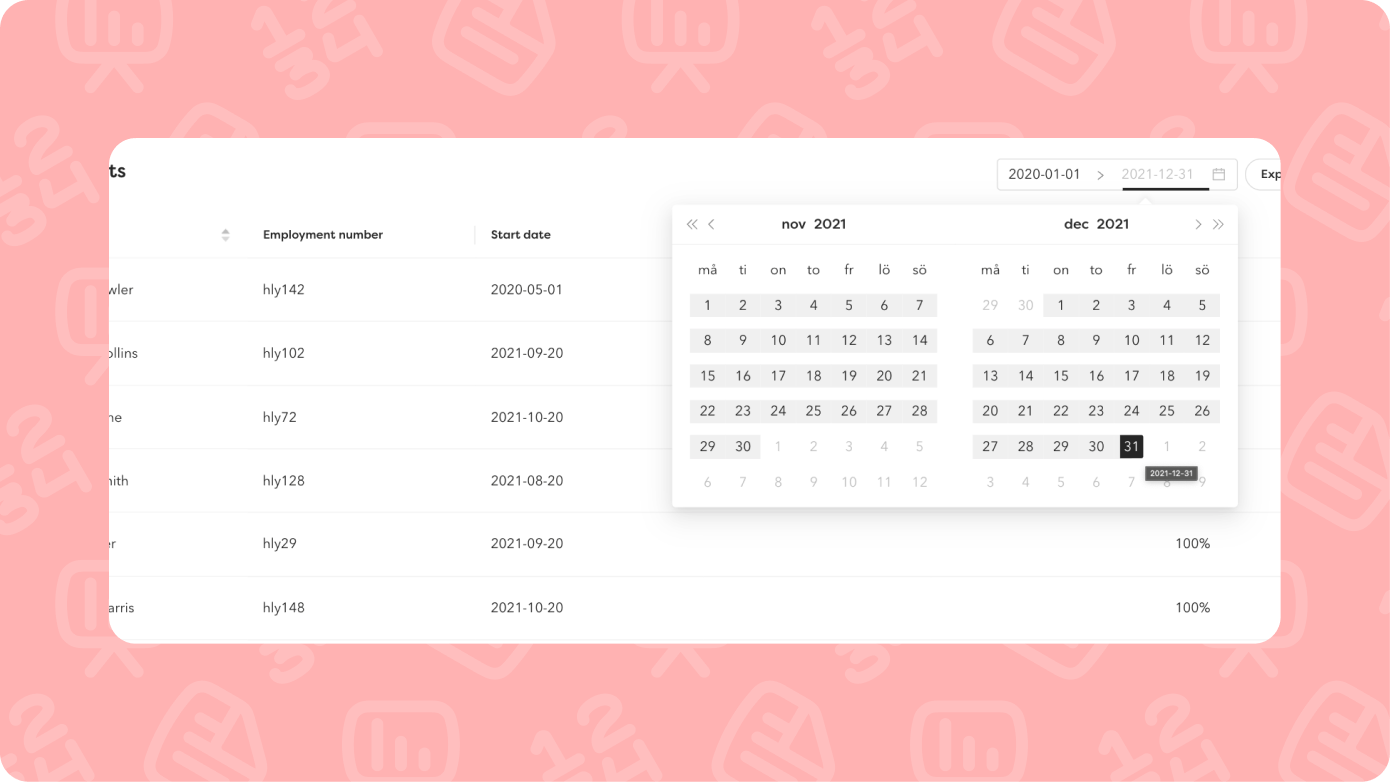
Easily see who was employed during a specific period – perfect for audits, statistics or when you need to report on historical employment data.
The report shows:
- Employee
- Employment number
- Scope as a percentage
- Start and end dates
- Last working day (if applicable)
In the export, you get full employment information: organisational affiliations, employment terms, time and absence settings, and all custom employment fields.
The report is available to administrators and users with permission to view all reports. You can share it with others and export the data. Temporary staffing is not included.
Integrations
Netvisor salary integration
You can now sync salaries from Hailey to Netvisor. Map your salary types in Hailey to Netvisor IDs, set up a custom field for salary models, and we'll automatically sync active salaries and future salary changes. If an employee has multiple salaries of the same type, we combine the amounts.
Subscribe to our product updates
Fill in your details below to receive our next product update in your inbox.