Export survey results to PowerPoint
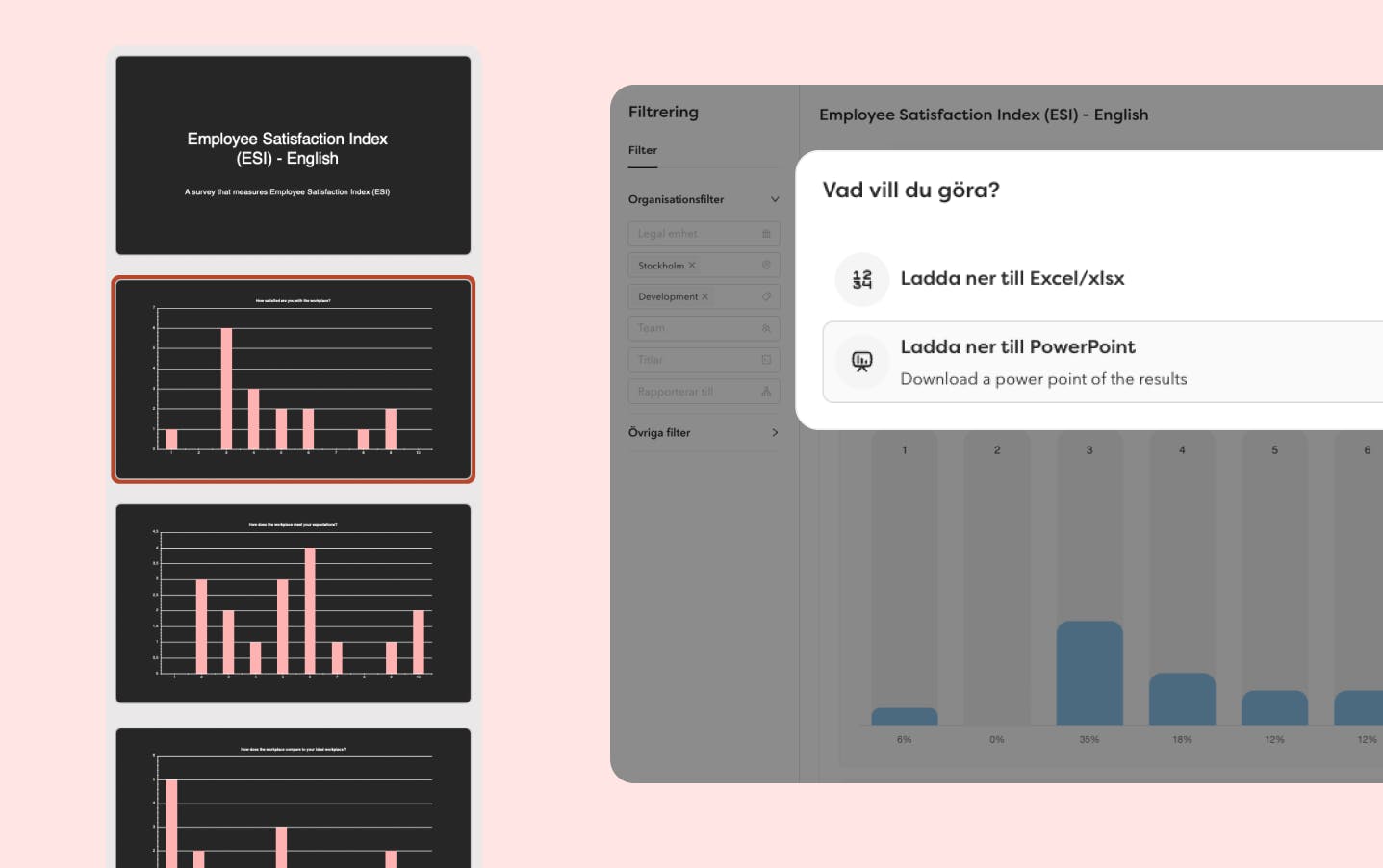
You can now export your survey results directly to PowerPoint amongst other things. Very useful when you need to share overall or filtered results with the rest of the organisation. As an extra bonus, the results are displayed in your brand colour, which provides a professional and cohesive presentation.
- Click on the survey you want to export
- Filter the results as needed
- Press "export to PowerPoint"
- Open the PowerPoint presentation and your results will appear on separate slides
Bulk manage workflows
Last sprint we launched a whole range of bulk management functions and we've continued this sprint. Now you can also bulk delete workflows from the HR hub. Requires permission to view and edit workflows for all employees.
With this, we've made a correction to the permissions regarding workflows:
We've changed so that the permission to "view and edit" workflows under settings no longer gives permission to view ongoing and completed workflows in the HR hub.
More rights in targeted roles
In Hailey you have the possibility to set up as many different roles and permissions as your organisation needs. For targeted roles, we've added permissions to be able to:
- Start pay review
- Send survey
- Start holiday planning
Export reports
Overtime report: more filtering and export options ready. Works for the standard report and shared reports.
Employee list: We've now solved it so you can export only selected employees.
Salary review: Scope now follows with the pay review in its own column.
Import data
We've added a column to import managers in the employee import
Import organisational units:
- Departments
- Titles
- Teams
- Cost centre
- Workplace
The purpose of the files is to support during implementation to create organisational units in Hailey, not to update changes.
Translations
Time off reasons: Translate in the table with the languages your employees use in the platform.
Custom employment fields: Translate in the table, just as you've done with your custom employee fields.
Salary types: Add your own translations for your pay types in the table to edit pay types.
User experience
- In the settings for your 1-2-1 templates there's now a new smooth editor that makes it nicer to work in.
- Besides in the mobile app, your brand colour now also appears in the results in your employee surveys, in the preboarding portal, in the analytics section and the tags in your job adverts (internally for now).
Integrations
Our open API
We've added educations in the API, you can now use it to:
You can find the API documentation here.
Agda
Now you can add multiple Agda integrations and scope these based on legal entity and location. All employees who are or have been within the defined area will be included in the file. We only include employments that fall within this scope.