An inclusive platform
Everyone has different abilities, limitations and ways of interacting with technology. This is something our product design team always keeps in mind when building Hailey. We build for all users. In practice, this means we strive to follow WCAG 2.1: clear text, strong contrast, simple navigation and interfaces that work with screen readers, keyboards and touch on all devices.
This sprint, we've made two updates for better accessibility:
Close button on windows: Close buttons have now been added to the windows for all tasks, news and the manager agenda. This makes it easier to navigate and close using keyboard commands.
Clearer voice support in Culture corner: The Culture corner carousel (the one with birthdays, anniversaries and new colleagues) now provides better context with voice support. Instead of just saying 'button 1', it tells you that you're navigating in Culture corner.
Work on making the platform more accessible will be one of our focus areas over the coming year.
More secure email login with 2FA
For those of you who log in with email and password, we've added two-factor authentication, which means safer login! You can activate this quickly under settings - security - login - email.
If you choose to turn on 2FA, your users log in with their email address as usual. They then receive an email with a verification code that they must enter to log in. The code is valid for 10 minutes.
Task force as contract reviewers
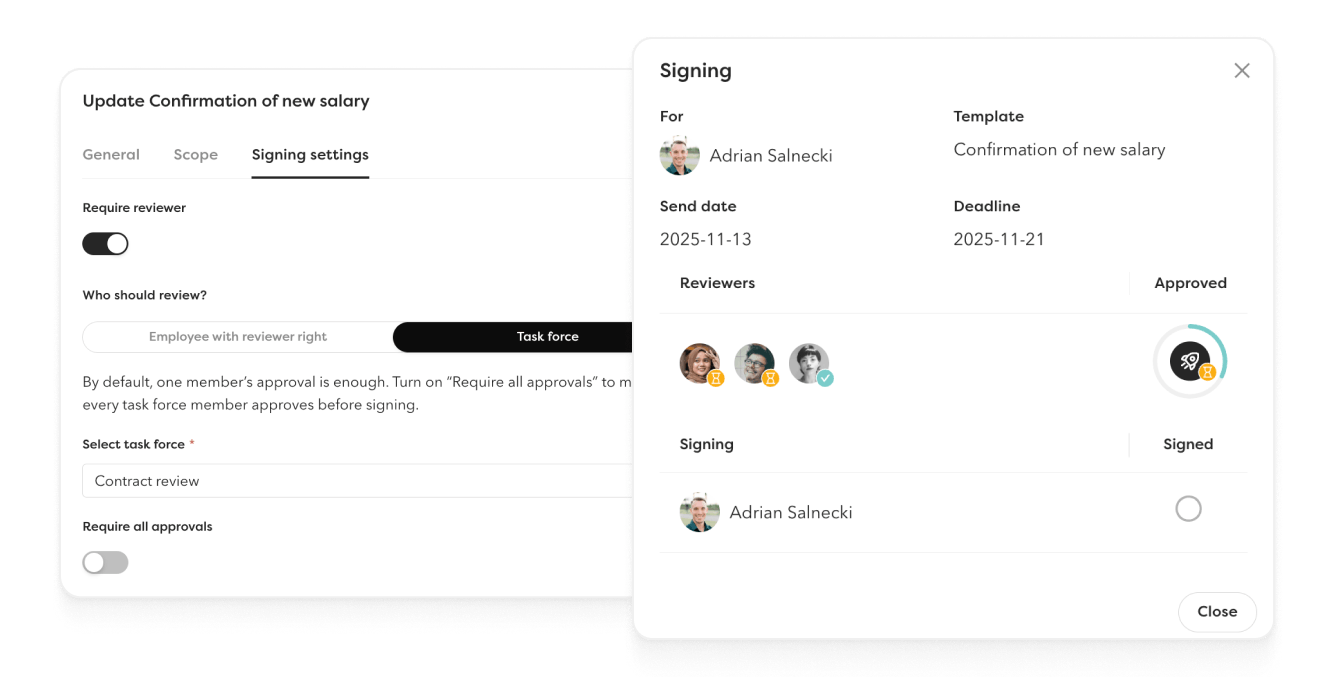
Make the review process both faster and more secure by assigning an entire task force as contract reviewers.
📩 Tasks go out to everyone in the task force. Anyone in the group can take responsibility for the review, which provides flexibility without compromising control.
⚙️ The setting is made in the contract template and applies to all contracts created with that template. A simple way to streamline the employment flow without being dependent on one individual person.
✍️ In the signing overview in the HR hub, we show which task force is the reviewer of the contract and who has approved it and who hasn't.
Annual variable addition 💰
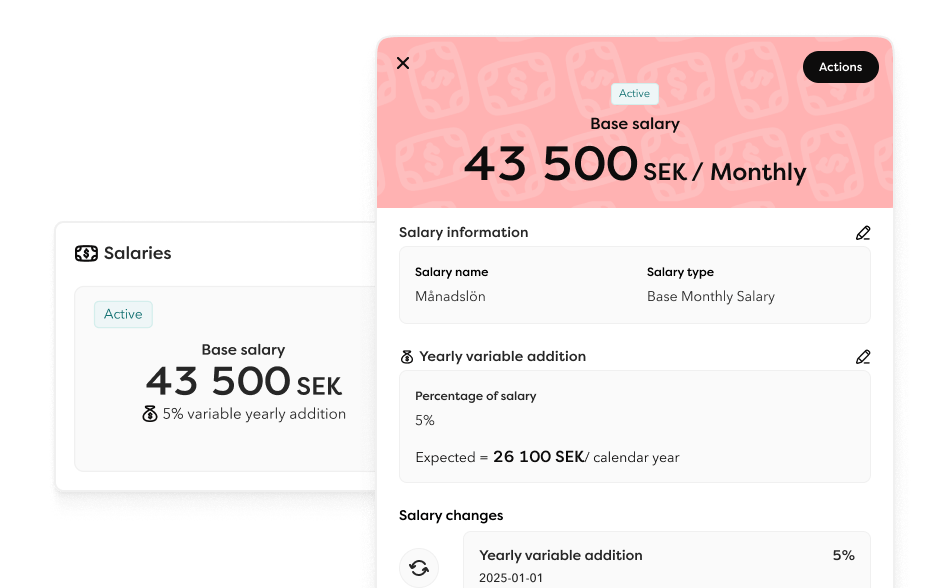
Manage annual variable additions directly in Hailey: a specific addition based on a certain percentage of the annual salary.
Flexible management of variable compensation
Set which salary types should allow annual variable additions under settings. You can either activate it on your existing salary type or create a specific salary type for those employees who have variable compensation.
The allowance is updated on the employee card under compensation or via import for smooth set up and updates. The feature works for monthly salaries, annual salaries and bi-weekly salaries that don't have an ongoing approval process.
When you add an addition, you specify the percentage and from which date it takes effect. The variable addition is a hypothetical value – that is, the expected amount if, for example, a specific target is reached.
An example: If you reach your expected result or target for the year, each or selected employees receive a certain percentage in annual allowance based on their annual salary.
Approval flow: When a variable addition is added or changed, a task is automatically created and an email is sent to the approver. Just like for other salary changes. The approver can then choose to approve or reject the allowance.
Other updates
Three new columns in the employee list
Cost centre, last working day and bi-weekly salaries. You can now use this data when building lists and reports.
Translate time off reasons and custom employment fields
Add your own translations for your time off reasons and employment fields, just as you do with custom fields. With translated terms, it becomes clearer for employees who use a different language than your common company language. Include everyone on the platform, without language barriers.
Approve time cycle
Clearer process and better traceability! From now on, 'approve time cycle' is a task rather than an update card. This means you can follow the progress for all approvers directly in the task list. The task remains until 100% is approved, just as before.
We now also send an email to the employee when their time cycle is approved, regardless of whether they've submitted their time or not.
Time off balance for all types of time off
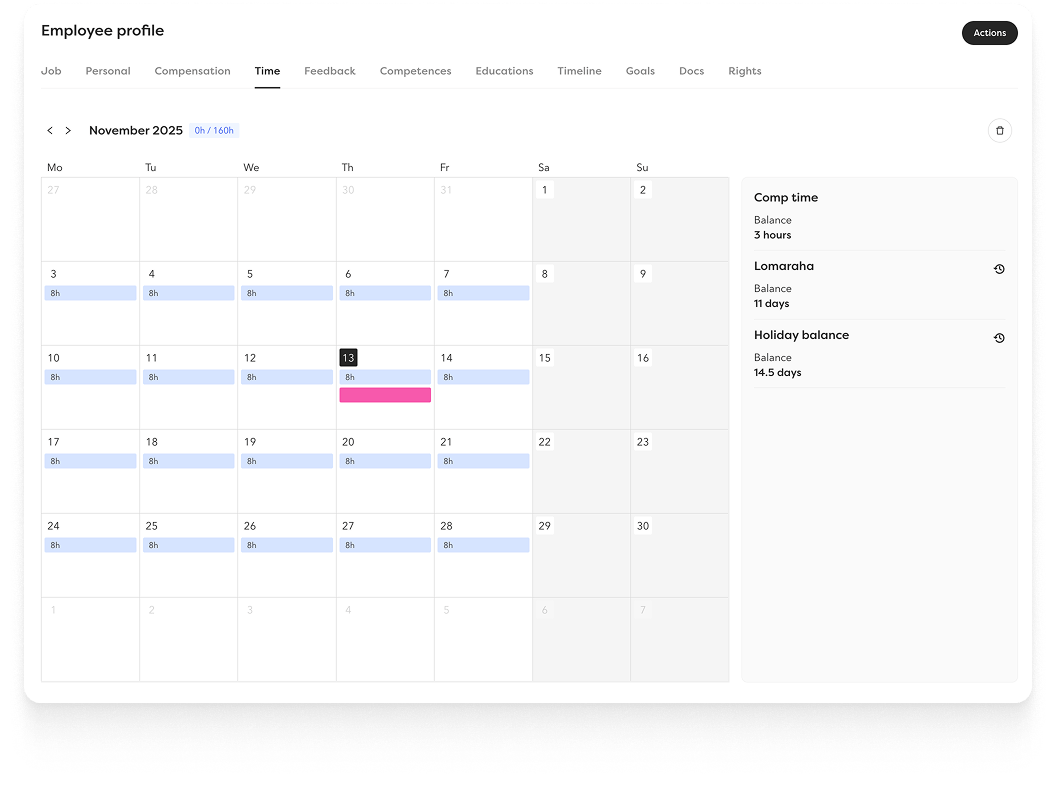
This might feel familiar. We released the feature a while ago but chose to pull it back to make further improvements. On monday it's ready again, and better than before!
You've long been able to manage holiday balance in Hailey, but we've now extended this to all time off reasons. Useful for organisations that require enhanced support for leave management, whether you follow Swedish collective agreements, Finnish service leave or British sick day rules.
Real examples from our customers:
Sweden: Separate balances for unpaid holiday, saved holiday days and working time reduction.
Finland: Service leave based on length of employment. This means that in addition to the holiday balance, you can also manage, for example, lomarahavapaa via the platform.
United Kingdom: Paid sick days with automatic deduction.
Hailey's open API
Long-term leave: When you retrieve absence from Hailey, long-term leave is now also included automatically.
Extended company information: We've added more information about your organisational structure:
- Departments: See parent department and who the department manager is
- Business areas: Retrieve associated departments as well as business area and department managers
Breaks via API in clock in/out: Employees can now take breaks when they're clocked in via the API. We've therefore added two new endpoints: start break and end break.