Title descriptions
The input field for role descriptions in contracts can be removed – you can now add descriptions to job titles and use them as a parameter in contracts. This makes it easy to include role descriptions in employment agreements. If an employee has multiple titles, they will be separated, and the relevant title will be specified for each description.
Reason for temporary employment
For those who need it, you can now register both the reason for a temporary substitute and who they are replacing. This ensures compliance with regulations and provides clearer documentation.
Flexible customisation: Define your own reasons under Settings/Customisation and scope them to different countries, legal entities or departments if needed.
Automatic visibility: The information is linked to the employee’s contract details.
Integrated in all processes: Employment guides have been updated to support this function.
Scope – more control and flexibility
Scope makes the platform more adaptable and ensures the right users access the right information.
✍️ Hiring templates – Scope by business area and teams.
🗂️ Employee document folders – Scope by legal entity, office, business area, department, team, title, and manager.
📝 Tasks for managers – Assign tasks only to users with the manager role by scoping.
💬 Feedback templates – Scope templates (360 & 1-2-1s) by legal entity, office, business area, department, and team.
Employment sequence number
The employment sequence number is linked to an employee’s contracts, simplifying the management of overlapping employments (upcoming feature) and making integrations with payroll systems smoother.
Enable in settings/general – The number series can be customised.
Can be updated – No requirement for unique numbers.
Visible as a tag – Displayed next to employment status and available as a contract variable.
Import option – Can be imported for both standard and temporary employment.
Other updates
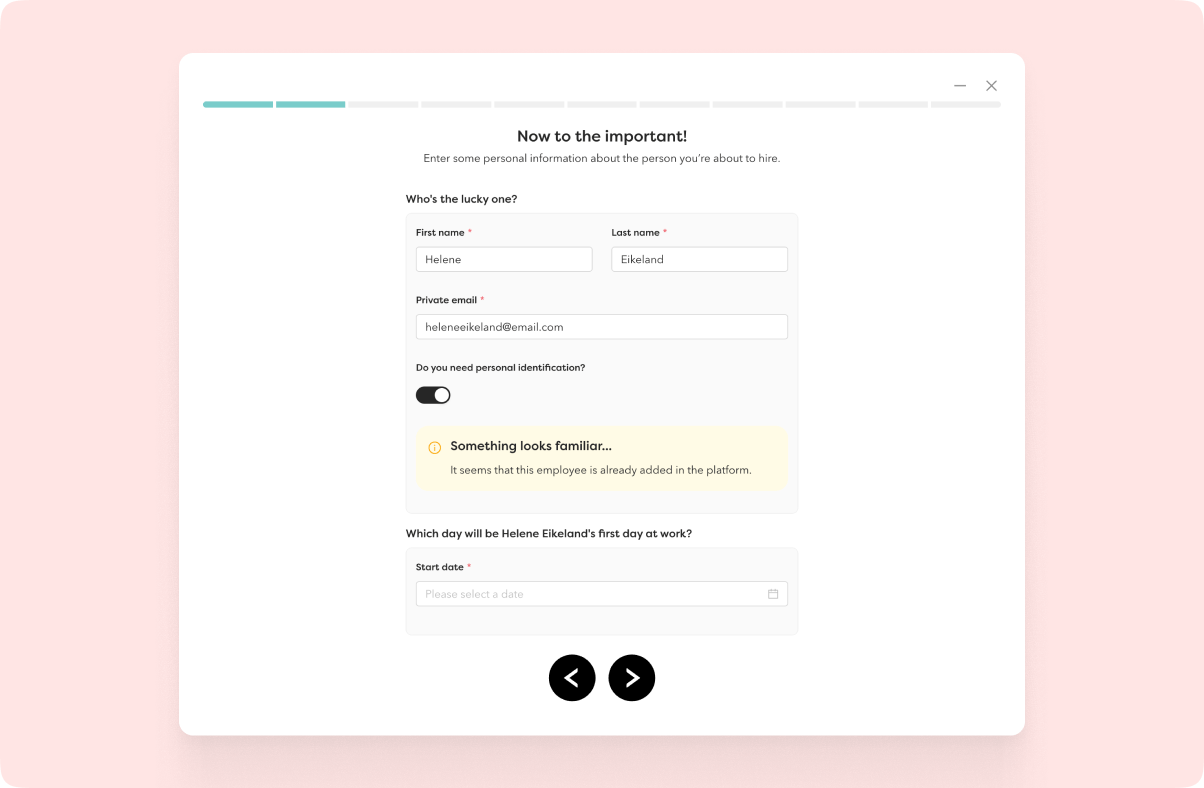
🚨 Duplicate employee warning
When starting an employment process, Hailey now checks if the private email address already exists in the system. It’s only a warning, so the process can continue if needed, helping to prevent duplicates while maintaining privacy.
📖 Open pages in a new tab
Open employee profiles from drop down by right-click or use Command + click to open pages in a new tab.
🔔 Push notifications for Android
Get notifications for Tasks and News directly on your Android device (coming in the next release).
📄 Access to document list
A new permission allows managers to access the document list for employees reporting to them in the HR hub.
💰 More filters in salary and salary change reports
- Salary report: Filter by employment status, organisational units, and salary types.
- Salary change report: Filter by salary type and organisational units.
Integrations
🔗 Kontek – payroll type mapping
Customers can now map their salary types to Kontek payroll codes. Note: If a salary type is left unmapped, it won’t be synced to Kontek.
🇫🇮 Mepco Employee Integration (to be released soon)
A new file integration that includes: employment number, name, date of birth, personal ID, address, IBAN, job title, and company email.