




Our final product update of the year has something for everyone. Take a look below so you don't miss anything you've been waiting for!
Employments and documents
Refined flow when adding new employments
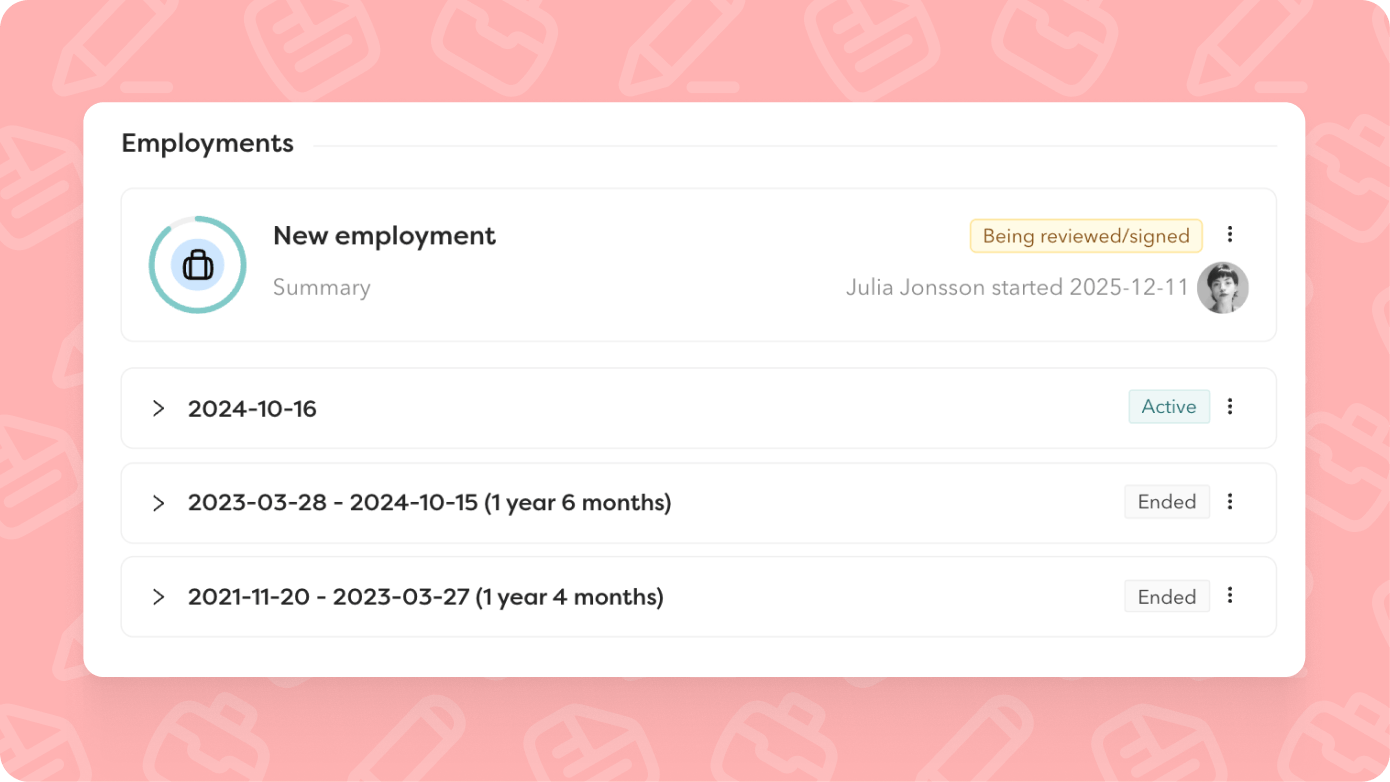
Our core features should just work – as simply as possible. At the same time, they need to be flexible enough to suit different ways of working. This autumn, we've refined the flow for adding a new employment to an existing employee, so it works just as smoothly as hiring a new employee, regardless of how you work.
What's new:
- Choose whether a contract needs signing. Previously, you only had this option if you added a new salary or salary change with the employment
- Activation upon signature. The employment is only activated once the contract is signed if you choose to create a new contract. Until it's signed, the employment is saved as a draft
- Time and absence settings are now set in the wizard as part of the flow
- Save the employment as a draft. Feel free to minimise the window to check other data or come back later. Everything you've filled in so far is saved - if you save it.
Now compatible with:
- Employee templates
- Reject contracts with comments
- Multiple salaries
- Task force as contract reviewer
- More pre-populated fields from previous employment (employment terms, custom employment fields, time and absence settings)
One contract type for both new hires and employments
The same contract template can now be used in both processes. This means you don't need to duplicate templates – one template works for both new hires and ongoing employment changes.
If you want to keep them separate, that's still absolutely fine. We haven't removed any functionality, just added a more flexible option.
Scope contract templates to teams and business areas
You can now link contract templates to specific teams and business areas. This makes it easier to find the right contract template straight away and reduces the risk of someone using the wrong contract type.
Import signable documents via our open API
Import documents via our open API without manual handling. A convenient way to keep policies, agreements and other documents requiring signatures organised – all in Hailey. The integration also lets you sort documents directly into employee folders.
Sort signable documents into employee folders
Just like with contracts, you can now set signable documents to automatically sort into the right document folder on the employee card. This applies both to documents you already have in Hailey and those you import via the API.
If a signable document is added as an attachment to a contract template, the contract template's settings determine where the document ends up.
Rights control what appears in the timeline
Birthdays and employment start dates now only appear in the timeline if you have permission to view the information under Personal-Sensitive and Job-Employments. This gives you better control over sensitive information.